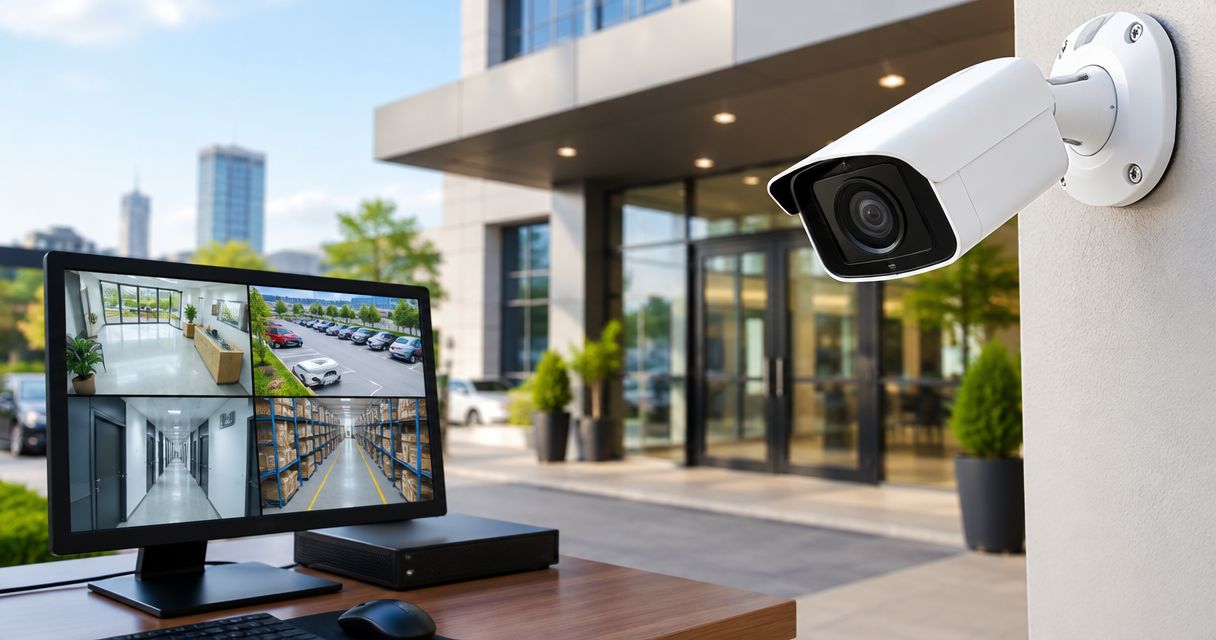
Best overall: wired PoE IP cameras for new business premises. Best for existing coaxial wiring: compatible analogue HD cameras. Best for adjustable entrance coverage: varifocal cameras. When comparing CCTV camera price in Kenya, select the camera type first, then compare the complete installed system—not the camera alone.
- Compare CCTV camera price in Kenya against the complete installation, including recording, storage, cabling and power.
- Wired PoE IP cameras are the default recommendation for new business CCTV installations.
- Compatible analogue HD cameras suit businesses retaining serviceable coaxial cabling.
- Patsec Security Store supplies CCTV equipment and installation for homeowners and businesses.
Why this matters
A camera covering the whole shop does not necessarily record a usable face at the entrance. A clear live picture also does not prove that the recorder saves footage correctly. Choose equipment around the incident you need to review, not just the picture displayed during a demonstration.
Patsec Security Store is a CCTV equipment and installation option for business buyers who need both supply and fitting. Start with the equipment categories at Patsec Security Store, then prepare a coverage brief before requesting a quotation.
For a 2026 purchase, ask suppliers to identify exact camera models, recorder compatibility and installation scope. A brand name alone does not establish those details.
What makes the best CCTV cameras for business premises?
Use these criteria before comparing the options below:
- Evidence quality: Check recorded faces, transactions or vehicle movements at the actual viewing distance.
- Lighting performance: Test entrances against daylight and outdoor areas under their normal night lighting.
- System compatibility: Match cameras to the recorder, cabling, power equipment and supported recording settings.
- Recording continuity: Specify storage requirements and identify which equipment needs backup power.
- Installation suitability: Check mounting positions, weather exposure, accessible cable routes and maintenance access.
- Access security: Require individual accounts, controlled remote access and a clear process for software updates.
Resolution belongs in the specification, but it is not the whole specification. Full HD, also called 1080p, has an image size of 1920 pixels by 1080 pixels. Those dimensions describe the image, not a guaranteed identification distance.
Business CCTV options at a glance
These options describe different buying decisions. PoE and analogue HD concern the connection system; varifocal and PTZ concern how you frame or move the view. A varifocal camera can also be a wired PoE camera.
| Rank | Camera option | Best for | Standout feature | Key limitation |
|---|---|---|---|---|
| 1 | Wired PoE IP cameras | New fixed-camera business installations | Compatible Ethernet cabling carries data and power | Requires planned cable routes and suitable network equipment |
| 2 | Analogue HD cameras | Retaining serviceable coaxial wiring | Reuses compatible existing CCTV infrastructure | Recorder formats and supported resolutions must match |
| 3 | Varifocal cameras | Entrances needing adjustable framing | Adjustable focal length sets the view during setup | Lens adjustment cannot correct a poor mounting position |
| 4 | PTZ cameras | Staffed yards needing active observation | Operator-controlled pan, tilt and zoom | Does not continuously record every direction |
| 5 | Wi-Fi cameras | Temporary coverage where Ethernet is impractical | Wireless data connection avoids a camera data cable | Depends on wireless coverage and still needs power |
1. Wired PoE IP cameras: best CCTV for new business installations
Wired Power over Ethernet cameras connect to compatible network equipment using Ethernet cabling. A suitable PoE connection supplies camera power and carries video data through the same cable. Recording requires a compatible recording arrangement, commonly a network video recorder.
For a new 2026 installation, this is the default starting point for fixed cameras across offices, shops and warehouses. Plan cable routes before mounting cameras or choosing switch locations.
Wired PoE IP camera pros:
- Combines camera power and data on a compatible cable connection.
- Avoids relying on Wi-Fi for the camera-to-network link.
- Supports a planned layout of fixed views across the premises.
Wired PoE IP camera cons:
- Requires cable installation and suitable PoE equipment.
- Recorder support, power capacity and recording settings still need checking.
Best for: Businesses fitting a new fixed-camera system with accessible cable routes.
Verdict: Buy wired PoE IP cameras as the default for a new installation after confirming compatibility.
2. Analogue HD cameras: best CCTV for existing coaxial wiring
Analogue HD cameras send video through compatible coaxial cabling to a digital video recorder. They are a practical upgrade route when an existing cable installation remains serviceable. Camera format, recorder support and power arrangements must match.
Do not retain old cabling simply because it is already installed. Have the installer inspect cable condition, joints and connectors before building a new system around it.
Analogue HD camera pros:
- Can retain serviceable, compatible coaxial camera runs.
- Provides a route to replacing cameras without replacing every cable.
- Keeps the camera connection separate from office Wi-Fi.
Analogue HD camera cons:
- Existing cable faults remain a problem after camera replacement.
- Incompatible camera formats or recording settings prevent a straightforward upgrade.
Best for: Businesses upgrading a working coaxial CCTV installation.
Verdict: Buy compatible analogue HD cameras when cable inspection supports retaining the existing installation.
3. Varifocal cameras: best CCTV for entrance framing
A varifocal camera lets the installer adjust focal length to set the field of view. That adjustment helps frame a doorway or another defined observation point. Manual and motorised adjustment are different features, so check the exact model.
A narrower view excludes more of the surrounding area. Use entrance coverage for the entrance task rather than expecting the same camera to provide a wide overview of the whole premises.
Varifocal camera pros:
- Allows framing adjustments during installation.
- Helps match the view to a specific doorway or passage.
- Offers more framing flexibility than a fixed-focal-length lens.
Varifocal camera cons:
- Narrower framing reduces coverage outside the target area.
- Poor camera height, glare or obstructions still affect useful detail.
Best for: Business entrances where the required view needs adjustment on site.
Verdict: Buy a varifocal camera when entrance framing needs flexibility; approve recorded footage before sign-off.
4. PTZ cameras: best CCTV for actively monitored yards
A pan-tilt-zoom camera lets an operator change the viewing direction and zoom. It suits a staffed monitoring position where someone needs to inspect different parts of a yard. Any automatic tracking or preset functions must be verified for the selected model.
A PTZ camera records its current view, not every direction at once. Keep fixed coverage of critical entrances and routes rather than replacing it with a movable camera.
PTZ camera pros:
- Lets an operator inspect different areas remotely.
- Provides adjustable viewing direction from one mounting position.
- Supports active observation alongside fixed cameras.
PTZ camera cons:
- Leaves other directions outside its current view.
- Adds operating and maintenance requirements compared with a fixed view.
Best for: Yards with staff responsible for live CCTV monitoring.
Verdict: Buy PTZ cameras as an addition to fixed coverage, not as the only camera protecting several directions.
5. Wi-Fi cameras: best CCTV for temporary indoor coverage
Wi-Fi cameras transmit data over a wireless network. They help where installing an Ethernet cable is impractical, but wireless data does not mean the camera needs no power connection. Verify how the proposed camera records and what happens when its connection fails.
Test the actual mounting position before committing. Walls, shelving and changes to the premises affect the wireless connection.
Wi-Fi camera pros:
- Avoids installing a dedicated Ethernet data cable to the camera.
- Offers flexibility for temporary indoor observation points.
- Fits locations where an appropriate power source already exists.
Wi-Fi camera cons:
- Depends on wireless coverage and network conditions.
- Recording behaviour during connection loss varies by model and setup.
Best for: Temporary indoor coverage where wired data installation is impractical.
Verdict: Hold until an on-site connection and recording test passes; skip Wi-Fi as an untested substitute for wired critical coverage.
How the options rank
The ranking prioritises evidence quality, compatibility, recording continuity and practical installation. Wired PoE IP cameras are the default for new premises; analogue HD cameras serve existing coaxial systems. Varifocal, PTZ and Wi-Fi options address narrower requirements rather than replacing the default in every location.
This is a system-selection ranking, not a claim that every camera within a category performs equally. Choose the exact model only after checking its documentation and the proposed view.
Compare CCTV camera price in Kenya by installed scope
For your 2026 quotation, separate the equipment from the installation work. Patsec Security Store supplies CCTV equipment and installation; request a written scope that identifies what the proposed system includes.
Compare these items line by line:
- Cameras: Exact model, lens type, mounting accessories and intended position.
- Recording: Recorder model, compatible camera inputs and recording configuration.
- Storage: Drive specification and the retention target used for sizing.
- Infrastructure: Cable routes, connectors, network equipment and power supplies.
- Installation: Mounting, cable protection, configuration and commissioning.
- Handover: User accounts, playback demonstration, export procedure and maintenance instructions.
State retention as a requirement, not an assumption. For example, a business requesting 14 days of recordings needs a storage calculation based on its selected cameras and recording settings. A 30-day requirement needs its own calculation; it is not a promise attached to a camera's resolution.
Use the CCTV installation cost guide to structure installation questions. Compare quotations only after their coverage and recording requirements match.
Set up and accept the system in the right order
A 2026 CCTV handover should prove that the system records the required events, not merely that every camera displays a picture.
- Map coverage. Mark entrances, tills, stock access and other incident locations. Give each camera a defined task.
- Check lighting. Inspect daylight glare and normal night conditions before finalising positions.
- Confirm recording. Verify that each camera records using the agreed settings and storage arrangement.
- Secure access. Replace default credentials, assign appropriate permissions and control remote access.
- Test playback. Find an event, export the clip and open the exported file independently.
Ask the installer to demonstrate operation after a controlled power interruption where safe. Confirm which cameras, recorder and network components remain powered by the proposed backup arrangement. Do not assume backing up the recorder also powers every camera.
Limitations and maintenance
CCTV records a view; it does not physically prevent entry. Combine observation with suitable access control, locks or other security measures according to the premises' requirements. Keep cameras away from unnecessary views into neighbouring private areas.
Include maintenance in your 2026 operating checklist. Check lens cleanliness, mounting security, cable damage, recorder time and storage warnings. Recheck views when shelves, signs or lighting change.
Test playback as well as live video. A visible live image does not establish that footage is being retained. Keep equipment identification and account ownership documented so maintenance does not depend on one person's memory.
Which CCTV cameras should you choose?
Choose wired PoE IP cameras for a new business installation with practical cable routes. Retain analogue HD only where existing coaxial infrastructure passes inspection. Add varifocal entrance views or actively operated PTZ coverage where a defined task justifies them.
Give Patsec Security Store your site layout, priority recording points and retention requirement. Request an itemised proposal with exact models and a recorded-footage acceptance test before approving the installation.
FAQ
What’s the best CCTV camera type for a new business in Kenya?
Wired PoE IP cameras are the default recommendation for a new business installation with practical cable routes. Confirm recorder compatibility, power requirements and recorded image quality before approving the system.
How do I compare CCTV camera price in Kenya?
Compare complete installed systems with the same coverage and recording requirements. Ask for exact camera models, recorder and storage details, cabling, power equipment, installation and handover scope.
Should I replace my existing analogue CCTV system?
Retain existing coaxial infrastructure only after checking its condition and compatibility with the proposed equipment. Replacing cameras does not repair damaged cables or incompatible recording equipment.
Are Wi-Fi CCTV cameras suitable for business premises?
Wi-Fi cameras suit selected locations where wired data installation is impractical and connection testing passes. Verify their power source, recording arrangement and behaviour during network loss.
Can one PTZ camera cover my whole business yard?
One PTZ camera does not continuously record every direction around a yard. Use fixed cameras for critical views and add PTZ coverage for active observation.
Does higher camera resolution guarantee clear faces?
Higher resolution alone does not guarantee usable face recordings. Lens choice, subject distance, lighting, camera angle and recording settings also determine the result.
What should I test before accepting a CCTV installation?
Test recorded footage, playback and clip export from each required view. Also verify user access, recording settings and the agreed power-backup arrangement.
One last thing
Approve an exported recording, not just the installer's live display. Stand at the location where you need useful evidence, create a test event and retrieve the saved clip. That single check ties the camera, lens, lighting, recorder and export process to the job you are buying the system to do.
Products mentioned in this guide are available from Patsec Security Store, including the D-Link DGS-F1010P-E PoE Switch and Hikvision Cat6 Cable 305m.
Related guides
- CCTV camera prices in Kenya
- Networking equipment for CCTV installations in Kenya
- CCTV surveillance for retail shops and supermarkets