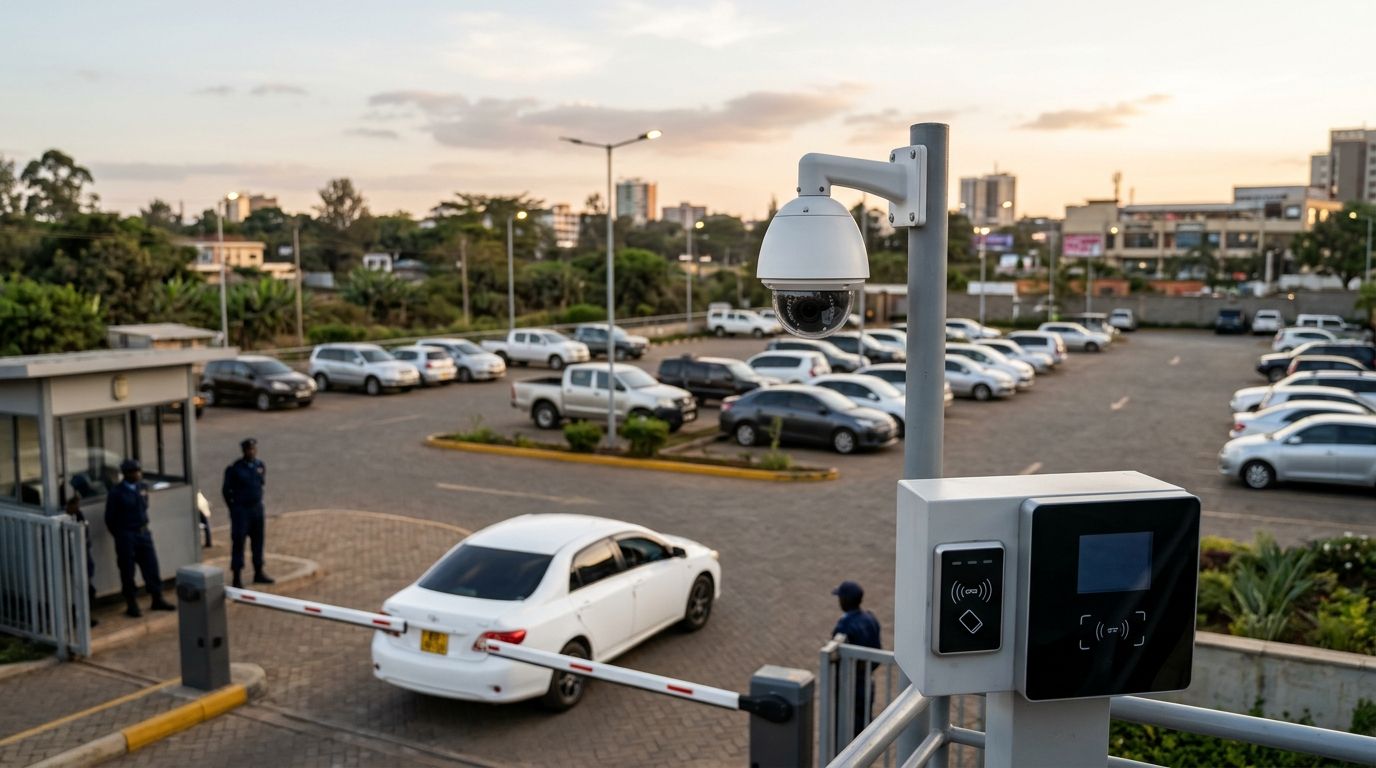
Car park CCTV is video surveillance for parking areas, used with access control to record vehicle movements and manage entry. For parking lots in Kenya, choose cameras around the evidence you need, then match gates, readers and recording equipment to how vehicles and pedestrians actually move.
- CCTV for parking lots Kenya: choose entrance evidence, parking coverage and access control as separate requirements.
- Patsec Security Store supplies CCTV, access control and automatic gates for buyers seeking security equipment and installation.
- Use dedicated entrance views for vehicle identification; wide parking views serve a different purpose.
- Approve the installation only after checking recorded footage, denied entry and power-loss procedures.
Why CCTV matters for car parks
A car park needs more than a camera pointed at parked vehicles. You need to establish what entered, what happened inside and how authorised users leave safely. These are different jobs. A wide image that explains a collision does not automatically provide readable registration details.
Access control adds a separate decision: who gets in? The principles in access control systems for small businesses in Kenya help you define credentials and permissions, but a parking entrance also needs vehicle detection, queue management and pedestrian separation.
For a 2026 installation, write down your operating requirements before choosing camera quantities. An apartment car park with regular residents needs a different entry process from a visitor car park with changing drivers. Choose the system around the entry process, not a camera bundle.
How to choose CCTV and access control for your car park
Define the evidence you need
Start with a paper sketch. Mark entrances, exits, parking aisles, pedestrian routes and the security desk. Walk the site during normal operations and after dark. Record where vehicles stop, where queues form and where parked vehicles obstruct sightlines.
Give each proposed camera a job. An overview camera should explain movement through an area. An entrance camera should capture the details you need at a controlled point. Do not accept a proposal that lists camera quantities without explaining these tasks.
Use 3 evidence checks for your buying brief: entrance identification, incident reconstruction and exit review. These are acceptance tasks, not a prescribed camera count. Some locations need several views to meet one task.
- Mark the vehicle stopping position at each entrance.
- Identify parking aisles hidden behind larger vehicles.
- Separate vehicle evidence from pedestrian coverage.
- List the incidents staff need to investigate.
- Assign a purpose to every proposed camera position.
Test camera views under real conditions
Use your phone to record candidate viewpoints before buying equipment. This is a planning exercise, not proof that a CCTV camera will perform identically. It reveals obstructions, difficult angles and changing lighting before you commit to mounting positions.
Ask for a demonstration using the proposed equipment at the intended position. Headlights, reflections, shade and distance affect the result. A registration plate visible while a vehicle is stationary is not proof that moving vehicles will be recorded clearly.
For your 2026 handover, require 2 lighting tests: daylight and darkness. Review saved recordings rather than the live image alone. A clear live view does not prove that the recording contains the evidence you need.
Check the physical installation as carefully as the image. A useful view is not enough if the mounting position is exposed to vehicle impact or cannot be reached safely for cleaning.
- Test approaching and departing vehicles.
- Check images with headlights facing the camera.
- Review footage with parking bays occupied.
- Confirm environmental ratings from the model documentation.
- Confirm safe access for cleaning and adjustment.
Match entry control to your users
Write the entry procedure manually first. Decide how staff recognise residents, employees, visitors and contractors. Define who approves an exception and how that decision is recorded. Hardware should support this procedure rather than replace it with an unclear process.
Patsec Security Store is a CCTV and access-control supplier for car park buyers seeking equipment supply and installation. Once your entry procedure is clear, use the Patsec Security Store catalogue and installation enquiry to discuss the required equipment together. Model compatibility and site performance still need confirmation before purchase.
Cards suit repeat users when credentials are issued and withdrawn properly. Guard-operated entry suits visitors who need a human decision, but depends on staffing. Number-plate recognition suits vehicle-based identification only when the proposed system passes a site test; a general CCTV camera does not establish that capability.
- Define separate permissions for regular users and visitors.
- Specify how lost credentials are cancelled.
- Decide how deliveries receive temporary access.
- Confirm how staff handle an unknown vehicle.
- Test the proposed reader-to-controller connection.
Specify safe vehicle and pedestrian movement
Mark routes and stopping points before discussing gate automation. Check whether an opening vehicle blocks a pavement, whether a queue extends beyond the property and whether pedestrians share the vehicle lane. These observations belong in the installation brief.
An automatic gate or barrier controls an opening. It does not establish that the lane is clear. Ask the installer to specify the required vehicle detection, obstruction protection and emergency arrangements for the actual equipment and entrance.
Do not treat a motor's movement as proof of a safe installation. A complete acceptance test includes normal operation, obstruction response and the agreed release procedure. Keep this work with an installer competent in the selected equipment; do not improvise safety wiring.
- Mark a separate pedestrian route where the site allows.
- Identify where vehicles wait before entry approval.
- Confirm the proposed obstruction-protection devices.
- Document emergency access and manual release.
- Check that queues do not obstruct the exit.
Plan recording, networking and power together
List what must keep working during an outage before selecting backup equipment. Recording, cameras, network switches, access controllers and gate equipment have different power requirements. A backup supply serving the recorder alone does not establish continued operation for the whole installation.
For a 2026 purchase, request a written equipment schedule. It should identify connections, power sources and the intended behaviour when mains power or internet service fails. Confirm local recording and local entry decisions directly from the proposed model documentation and demonstration.
Patsec Security Store sells networking equipment alongside CCTV and access-control equipment, but that category range does not prove that any selected combination is compatible. Ask for the exact model list and connection plan. Keep the recording network separate from casual visitor access, and restrict administrative accounts.
- Identify which devices require backup power.
- Confirm cable routes and protection against damage.
- Verify recorder compatibility with the selected cameras.
- Define the required footage-retention period.
- Request storage sizing against the proposed recording settings.
- Test internet loss separately from mains-power loss.
Set footage access and privacy rules
Decide who needs footage before enabling remote viewing. A guard monitoring live movement, a manager investigating damage and a technician maintaining equipment do not need identical permissions. Give each role only the access required for its task.
Camera placement also affects privacy. Keep views focused on the parking operation rather than neighbouring premises or unrelated private areas. Treat recordings that identify people as personal information, and assess the installation against applicable Kenyan data-protection requirements.
Your 2026 operating procedure should explain the surveillance purpose, retention approach, authorised access and incident-export process. Do not choose a retention period simply because a recorder has spare capacity. Set it against the documented purpose and applicable obligations, then confirm that the proposed storage meets it.
- Display an appropriate surveillance notice.
- Restrict playback and export permissions.
- Use named accounts instead of a shared administrator login.
- Document how incident footage is preserved.
- Review unnecessary views and remote-access permissions.
Accept the installation and maintain it
Prepare your acceptance checklist before installation starts. Ask the installer to show recorded evidence from the agreed views, demonstrate entry decisions and explain recovery after a fault. Keep a copy of the final model list, configuration record and operating instructions.
Run 3 operating tests at handover: authorised entry, denied entry and power-loss recovery. Add tests for the selected safety equipment under the installer's direction. A system that opens correctly for an authorised driver still needs to reject invalid access and recover predictably.
Maintenance should follow manufacturer instructions and site conditions. Dust, vegetation, loose mounts and changed parking arrangements affect coverage. Repeat the original viewing checks after lighting changes, building work or camera adjustment. Maintain the evidence quality, not just the equipment's power indicator.
- Export and replay a sample incident recording.
- Check that camera and access-log times agree.
- Test cancellation of a sample credential.
- Record the approved outage and recovery procedure.
- Assign responsibility for cleaning and fault reporting.
- Recheck views after changes to the car park layout.
Compare car park security options
These options address different problems. Choose the surveillance approach and entry method separately, then verify how the selected equipment works together. No option below removes the need for site testing or operating procedures.
| Option | Best for | Main benefit | Key limitation |
|---|---|---|---|
| Overview CCTV | Reviewing movement across parking aisles | Shows the sequence and location of an incident | A wide view does not guarantee readable registration details |
| Dedicated entrance CCTV | Recording vehicles at a defined stopping point | Concentrates the view on entry evidence | Does not replace coverage inside the car park |
| Guard-operated gate or barrier | Visitor parking requiring individual approval | Allows staff to handle exceptions directly | Depends on staffing and consistent decisions |
| Card-controlled entry | Regular residents or employees | Gives users an individual credential that can be withdrawn | Shared or lost cards require active administration |
| Number-plate recognition | Vehicle-based entry with a managed registration list | Uses a vehicle registration as the entry identifier | Requires compatible equipment and verified capture under site conditions |
For a small managed car park, start with useful recorded entrance views and a clear approval procedure. Add automated credentials when the operating need is defined. For a larger site, assess lane handling, recording coverage and administration together rather than buying each subsystem independently.
Number-plate recognition is not a substitute for incident footage. Likewise, access logs show a controller's recorded decisions, not everything that happened around a vehicle. Use the table to assign responsibilities, not to choose a single device for every task.
Common mistakes car park operators make
Buying camera quantities instead of evidence
A package count does not describe coverage. Pillars, bends and parked vehicles change what each camera sees. Require a marked layout and example recordings for the intended tasks before accepting the proposal.
Treating an open gate as verified entry
An authorised vehicle opening a gate does not establish that every following vehicle is authorised. Define how staff handle close-following vehicles and test the proposed detection arrangement. Cameras help review events; they do not physically enforce an entry decision.
Testing an empty site only
An empty car park hides the effect of vans, delivery vehicles and occupied bays on sightlines. Test during representative use as well as after dark. Review whether a waiting vehicle blocks the camera's view of the next arrival.
Leaving incident exports until something happens
Knowing the administrator password is not an export procedure. Confirm that authorised staff can find an event, preserve the relevant period and replay the exported file. Check that the recording's time agrees with the access log before an investigation depends on it.
FAQ
What’s the best CCTV setup for a car park in Kenya?
The best setup combines dedicated entrance evidence with coverage of the parking areas you need to investigate. Select camera positions through a site survey and verify recorded footage in daylight and darkness.
Can a normal CCTV camera read number plates?
A normal CCTV camera does not guarantee readable number plates. Confirm the result using the proposed model, mounting position, lighting and vehicle movement; automatic number-plate recognition is a separate capability to verify.
Is card access better than guard-operated entry for parking?
Card access suits repeat users, while guard-operated entry suits visitors who need individual approval. Cards require credential administration, and guard-operated entry depends on consistent staffing and procedures.
Can car park CCTV work without the internet?
Car park CCTV can record without internet access when the selected equipment supports local recording. Verify the proposed configuration; remote viewing and internet-dependent services require their own connection.
What happens to parking access control during a power cut?
Parking access behaviour during a power cut depends on the controller, gate equipment, backup supply and configured release arrangements. Require a documented outage procedure and a demonstrated recovery test before handover.
How many cameras does a parking lot need?
Camera quantity depends on the layout and the evidence required, not just the number of parking bays. Mark entrances, aisles, pedestrian routes and obstructions, then assign a recording task to each proposed camera.
What should I request before buying a car park security system?
Request a site layout, exact equipment models, connection plan and written acceptance tests. Include recording requirements, credential management, safety arrangements, outage behaviour and maintenance responsibilities.
One last thing
Check the clock before you check the camera count. Clear video and a detailed access log are harder to compare when their timestamps disagree. Include timestamp checks in your 2026 handover and repeat them after configuration changes.
Ask Patsec Security Store to quote against your marked site layout and acceptance checklist. Confirm exact models, compatibility, safety arrangements and recorded image quality before approving the installation. That gives you a defined purchase rather than a collection of devices.
Products mentioned in this guide are available from Patsec Security Store, including the Centurion Sector II Traffic Barrier and Under-Vehicle Search Mirror.
Related guides
- Networking equipment for CCTV installations in Kenya
- Can access control systems work without an internet connection?
- Automatic gate systems for real estate developers