Yes. A WiFi-enabled energizer lets you check and control your electric fence from an app, wherever you have an internet connection. Here is how it works, what you can actually do from the phone, and what to check before you buy one.
How a WiFi energizer works
The energizer joins your home or office WiFi network, the same way a smart TV does. Once it is online, an app on your phone talks to it over the internet. You do not need to be on the property or on the same network.
What you can do from the app
Features vary by model, but a connected energizer typically lets you:
- Switch the fence on and off remotely.
- See whether the fence is armed and whether it is in alarm.
- Use a virtual keypad instead of walking to the unit.
- Get alerted when the fence is tampered with.
This is useful for anyone who travels, manages a rental or a site upcountry, or simply wants to confirm the fence is on without going outside at night.
Watch out for subscription fees
Some connected security products charge a monthly fee for remote access. Others include the app for free. Over the life of a fence, which can be ten years or more, that difference adds up. Check before you buy.
What happens when the internet goes down?
The fence keeps working. WiFi is only the remote control link. The energizer still pulses the wires and still triggers its siren locally if someone tampers with it. You lose app access until the connection returns, which is why local siren and strobe outputs still matter on a connected unit.
What about power cuts?
The energizer should run from a backup battery during a blackout. Remember that your WiFi router also needs power. If remote access during outages matters to you, put the router on a small UPS as well.
An example: the JVA QT13
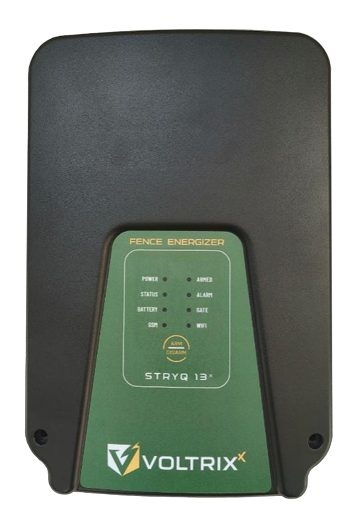
The JVA QT13 is a 3 joule energizer with WiFi built in. The app is free with no subscription fees, it includes a virtual keypad, and the unit doubles as an 8-zone alarm panel with siren and strobe outputs. It is also lithium battery compatible for backup. If you want app control on a home or small business fence, see the QT13’s price and specifications here.
Before you buy: three checks
- Signal. Make sure your WiFi reaches the spot where the energizer will be mounted.
- Fees. Confirm the app is free, or know what the monthly cost is.
- Local alarm. Make sure a siren is wired in, so the fence still alerts you when the internet is off.